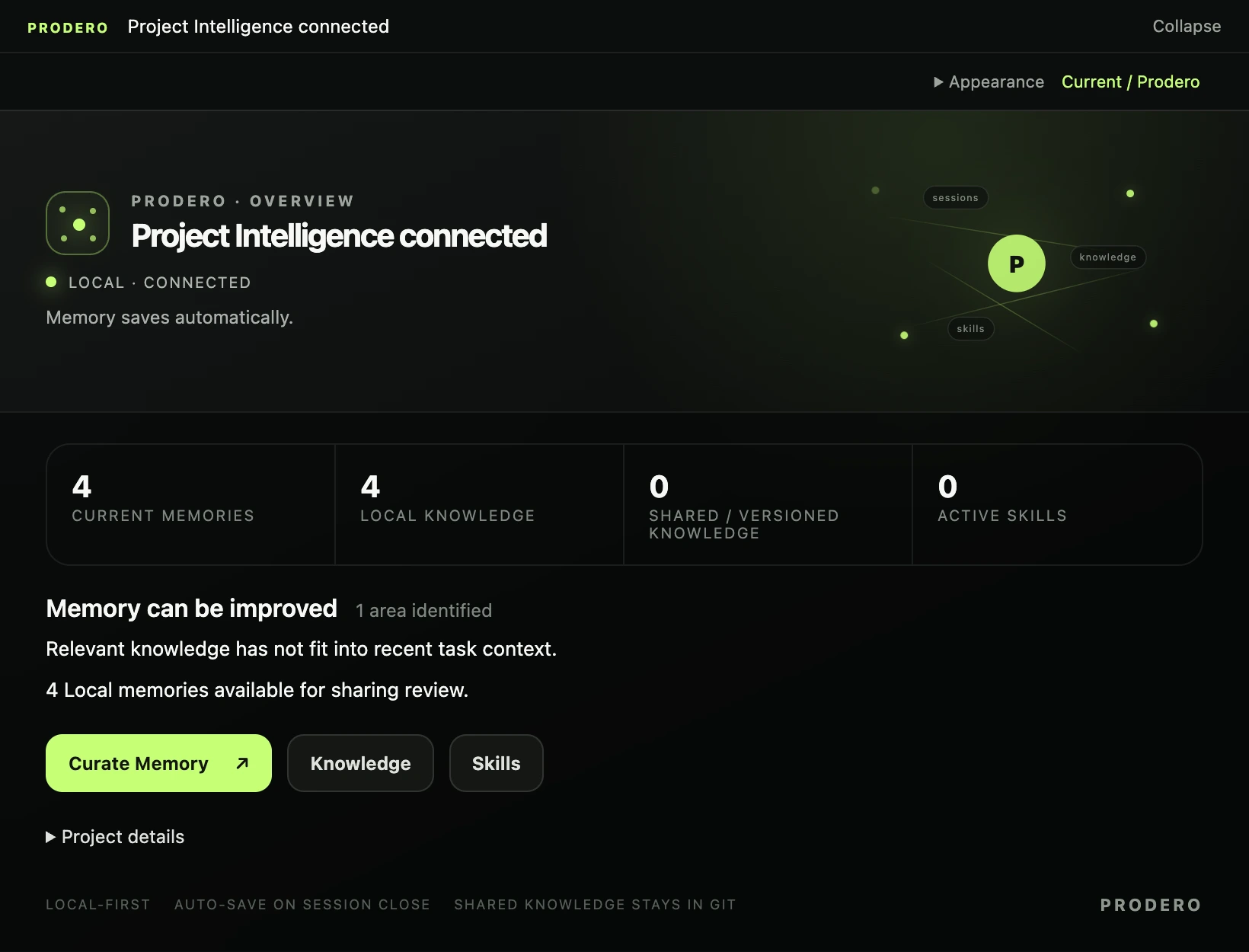
Pick up where the last session left off
A coding agent can read a repository and still miss why a decision was made, which workaround matters, or what the team learned from the last fix. Keeping those details in a conversation only helps until the next session starts.
I’m building Curator to keep that knowledge with the project and bring the useful parts into the next task. It works through the coding assistant, so remembering a decision or looking one up can stay part of the conversation.
Give the next task a useful starting point
For example, suppose a project requires API tests to use shared fixtures. You can ask the agent to remember that convention for the tests/ path. When it later prepares a task in that area, Curator can include the convention without loading unrelated project history.
Selection keeps applicable instructions separate from useful background. Context has a budget, and Curator reports when required context is incomplete. The agent still needs to check the code and resolve anything missing before it works.
Use it while you work
The workflow has three parts:
- Prepare the task. The agent describes what it will do and which parts of the project it touches. Curator returns selected knowledge and reusable procedures.
- Keep the useful findings. The agent records decisions and discoveries worth carrying into later sessions.
- Close the session. Recorded outcomes become Local Knowledge, available for future tasks. You can inspect and edit what was saved.
With Prodero installed and configured for your assistant and repository, type prodero in the assistant’s chat to open it. Use prodero when asking the assistant to work with project knowledge. For a project with shared test fixtures and an established verification workflow:
- Remember a convention: “prodero remember that API tests should use our shared fixtures. Apply this convention to the
tests/path.” - Create a reusable skill: “prodero create a project skill for our pre-review checks. Capture how to choose the relevant tests, run the repository’s lint and type checks, and report failures. Use the commands already documented in this repository.”
The first request saves project knowledge. The second saves a procedure for later use; creating it does not run its steps or bypass the assistant’s normal permissions.
You can also ask a question such as “prodero what do we know about our API test setup?” without starting implementation work.
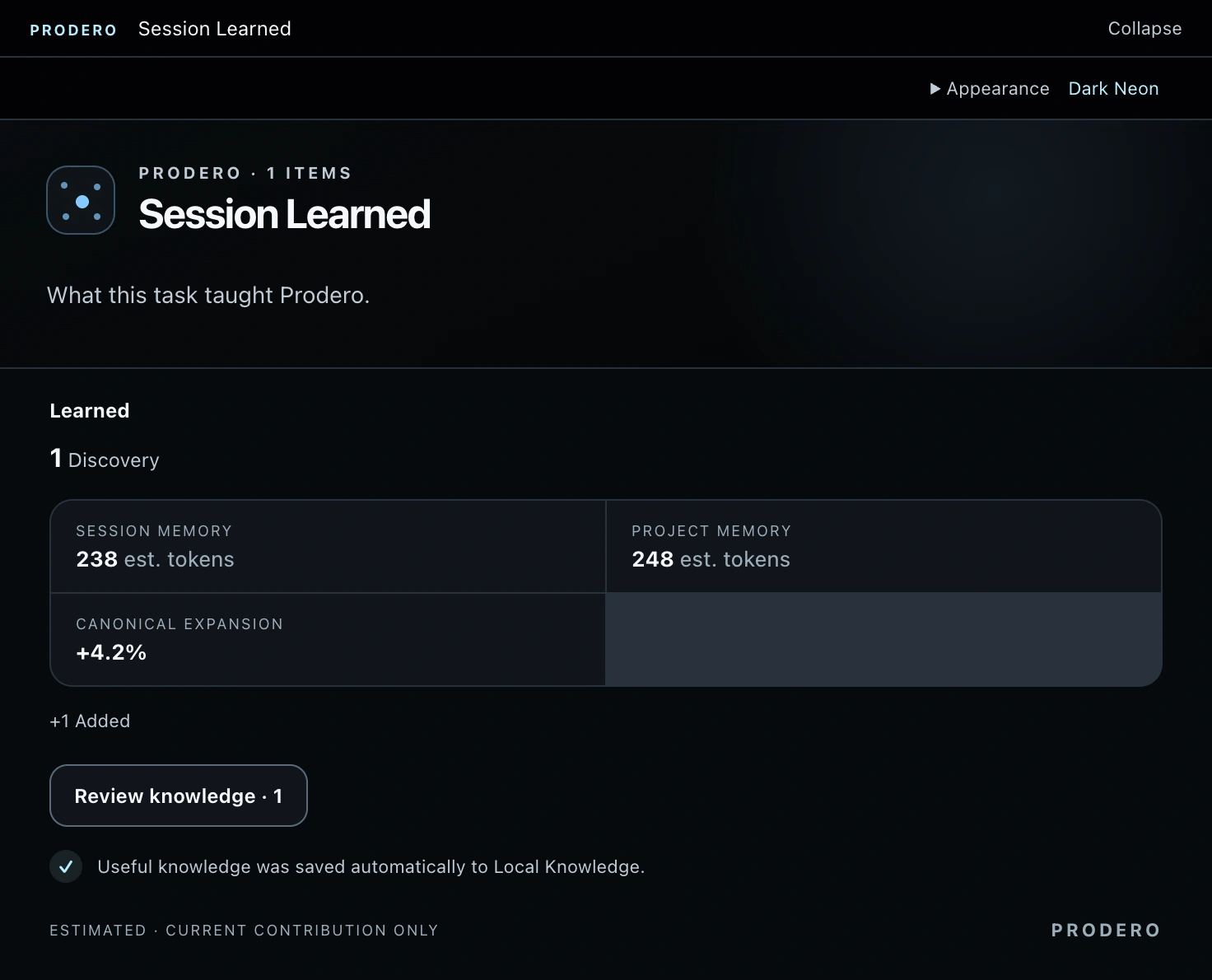
Keep knowledge with the project
Local Knowledge is working state ignored by Git. Versioned Knowledge can be reviewed and shared with the repository. Saving a session does not automatically publish its findings, and Curator does not commit or push.
Both live in project files. You can review them, keep relevant conventions with the code, and decide which local lessons are useful to share. Local storage is not a security boundary against the connected agent; keep credentials and other secrets out of saved knowledge.
What to expect today
Curator is an open-source public preview. It relies on the coding agent following the workflow to prepare tasks, record findings, and close sessions. It does not watch every conversation or guarantee that every detail will be remembered.
It integrates through the Model Context Protocol (MCP). Supported hosts can show the Curator App; text workflows cover the core operations when a graphical interface is unavailable. Host support varies, and Claude Code support remains experimental.
The GitHub repository has the current setup instructions and compatibility notes. If you want to try it, start with one convention you find yourself explaining again and see how it carries into the next task.